# Member Configurations Matrix
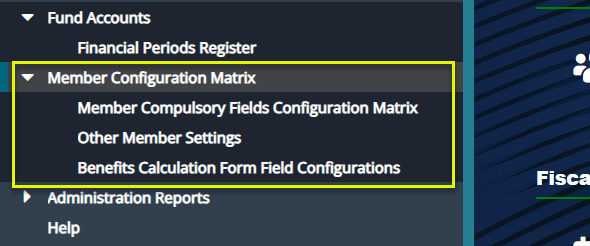
Before onboarding members, several configurations must be set based on the specific needs and expectations of a scheme and its participants. These configurations ensure that all required member information is properly captured and validated:
# Member Compulsory Fields Configuration Matrix
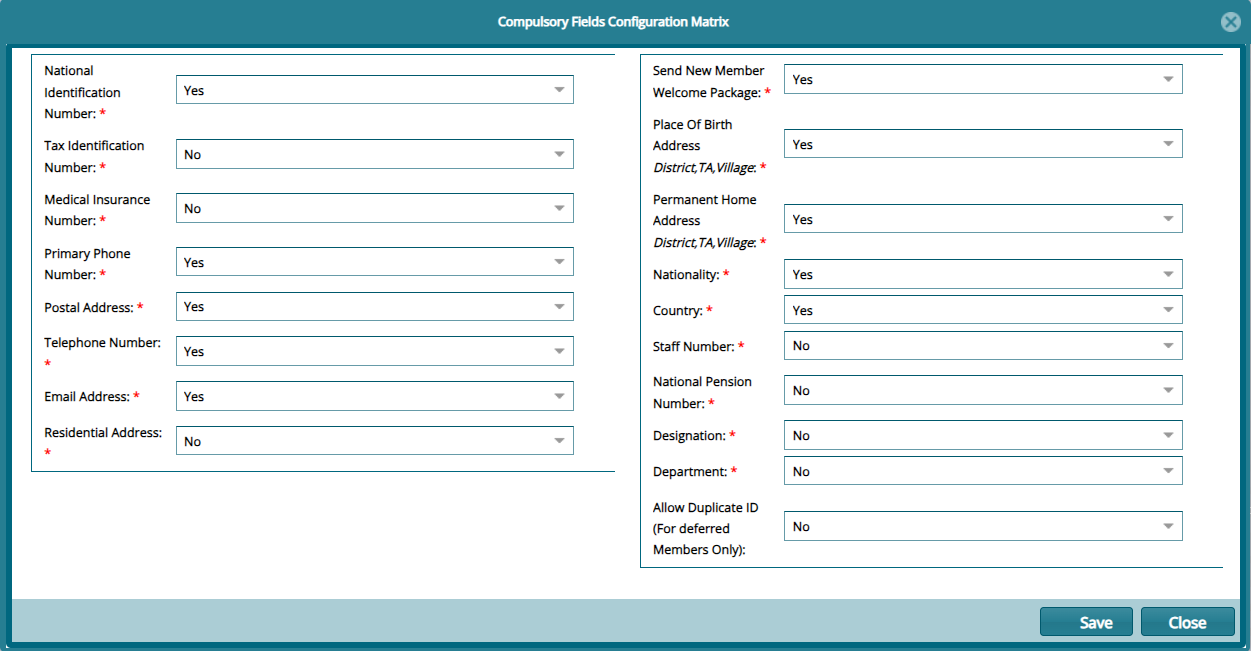
Click the Member Compulsory Fields Configuration Matrix link to open a dialog box where the mandatory fields are set to Yes or No. See screenshot below:
# Other Member Settings
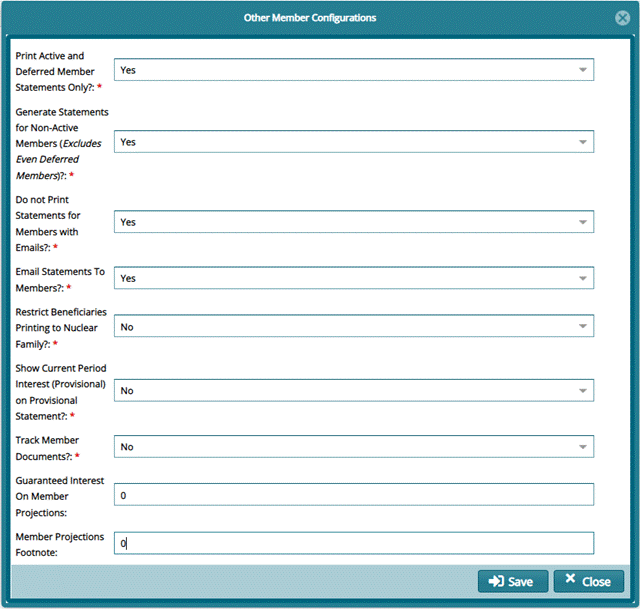
Click the Other Members Settings link to open a dialog box and select Yes or No for the parameters listed as shown below:
# Benefits Calculation Form Field Configuration Form
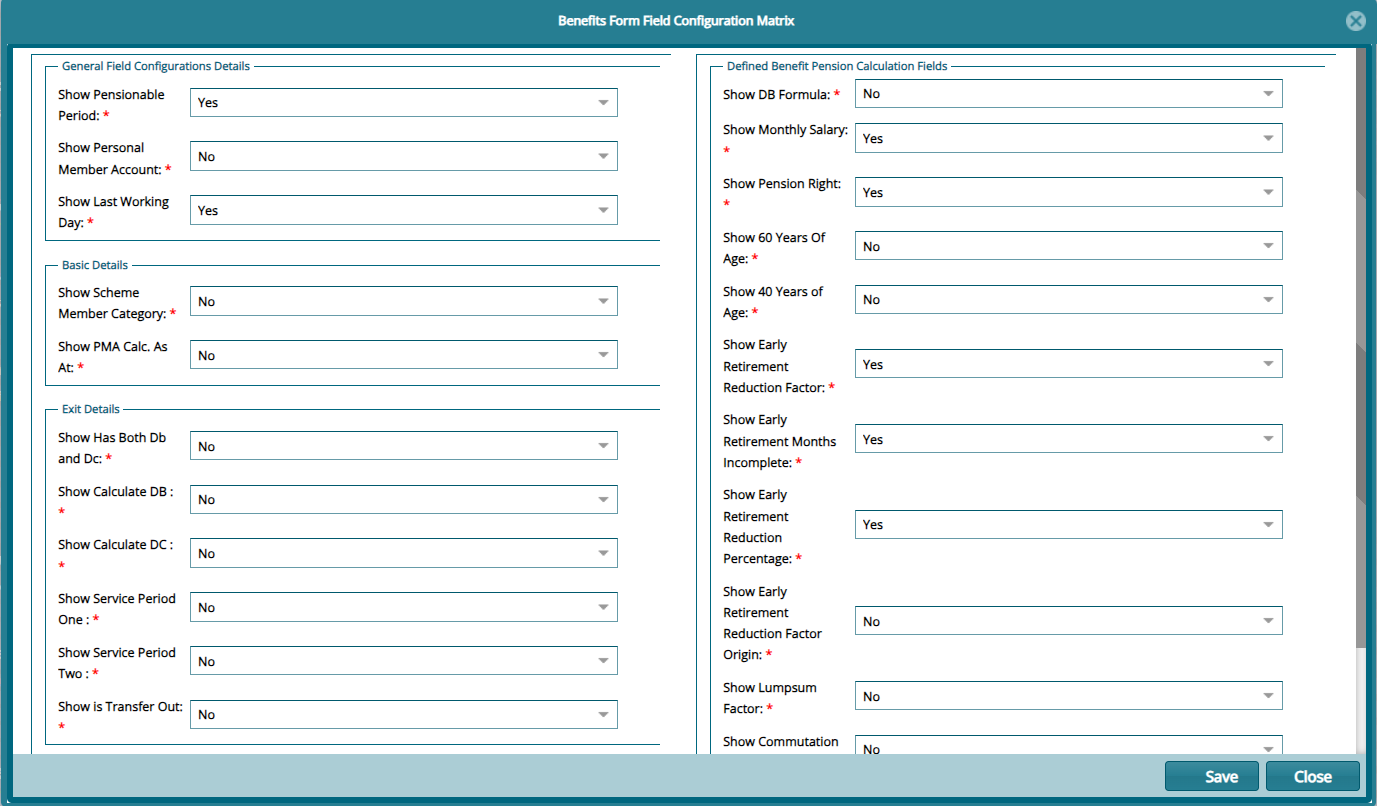
Click the Benefits Calculation Form Field Configuration Form link to open a dialog box and select Yes or No for the parameters listed as shown below: