# Deduction
# Pensioners Deduction
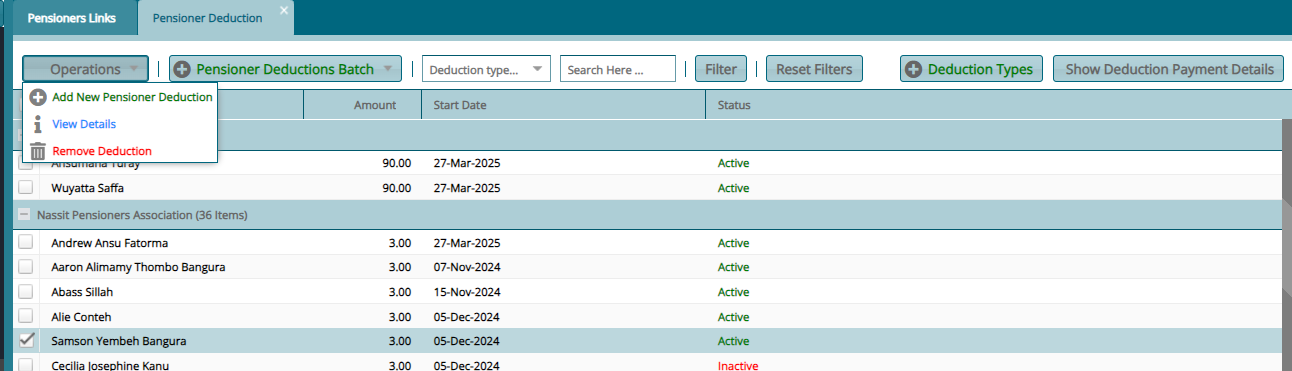
Pensioner Deductions are the different forms of money deductions made from pensioners monthly pension to remit to other funds such as medical covers or saccos. Below is a Pensioners Deduction window:
# Add New Pensioner Deduction
Click the Add New Pensioner Deduction from the Pension Deductions window to open a dialog window for capturing the details of a new deduction as show below:
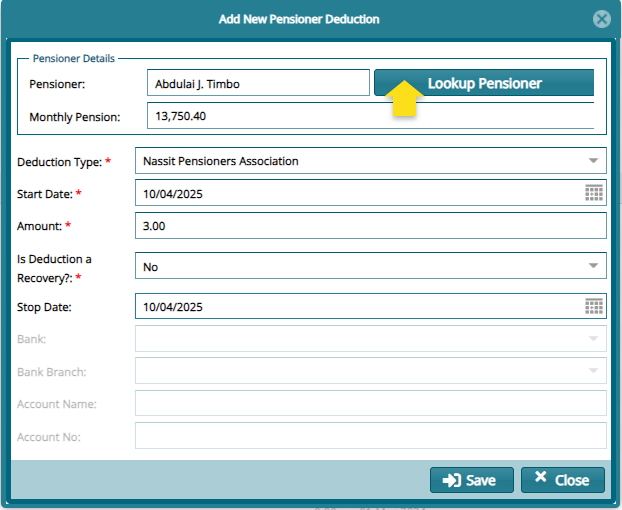
Clicking the Lookup Pensioner button within the dialog window will aid in selecting the name of the pensioner whose pension needs to be subjected to a deduction. See the window below:
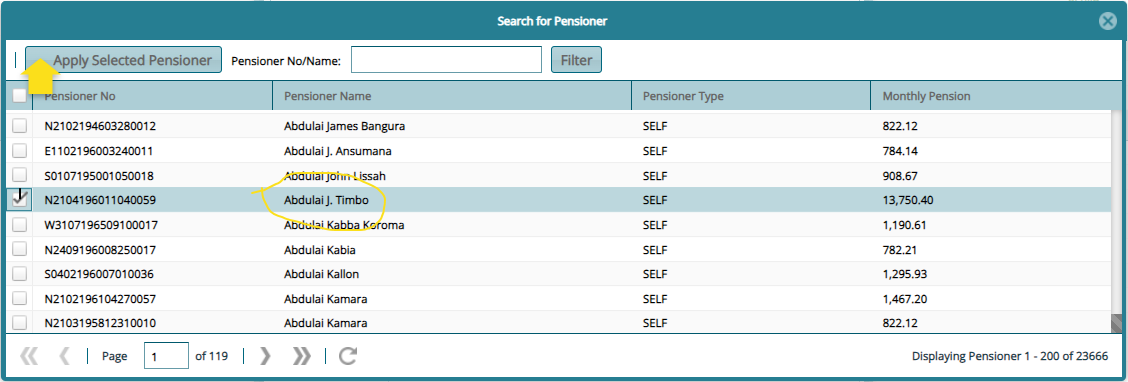
Click the Apply Selected Pensioner to load the name of the pensioner into the previous dialog window.
# Deduction Certification
After saving the new deduction, navigate to the Pensioner Updates for Approval window to select and Certify and Approve the deduction as shown in the screenshot below:
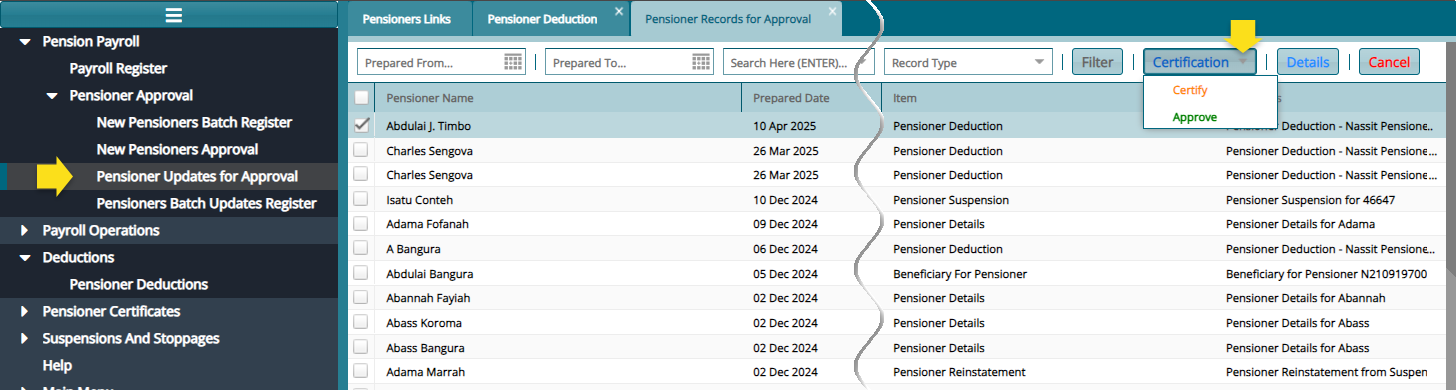
NB: After certification, the deduction record will disappear from the Pensioner Updates for Approval window.
# Deduction Confirmation
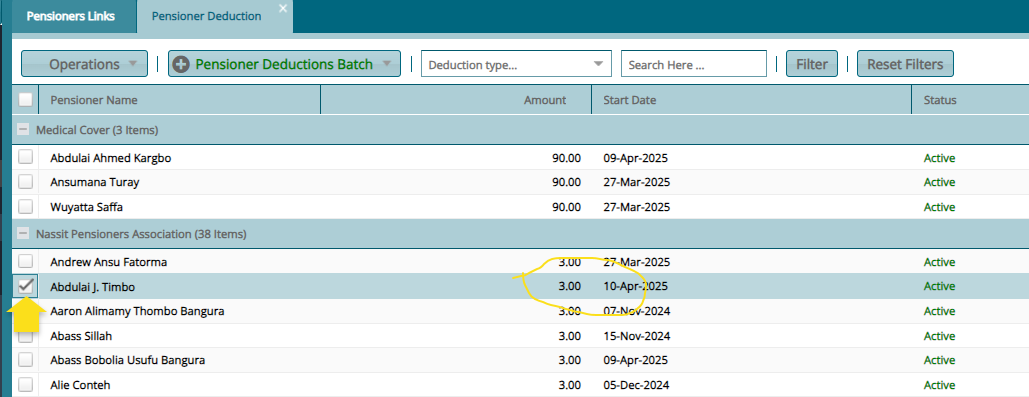
To see the deduction record, navigate back to the Pensioner Deduction window and locate the pensioners name under the category of the type of deduction made as shown in the screenshot below:
# Deduction Types
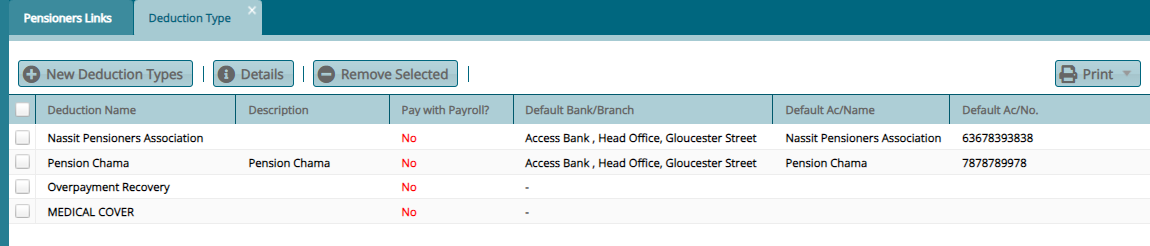
Clicking the Deductions Type button on the Pensioners Deduction window will load a window displaying all types of deductions available. You can click the New Deduction Type button to open a dialog box for adding a new type of deduction. See screenshot below:
# New Deduction Type
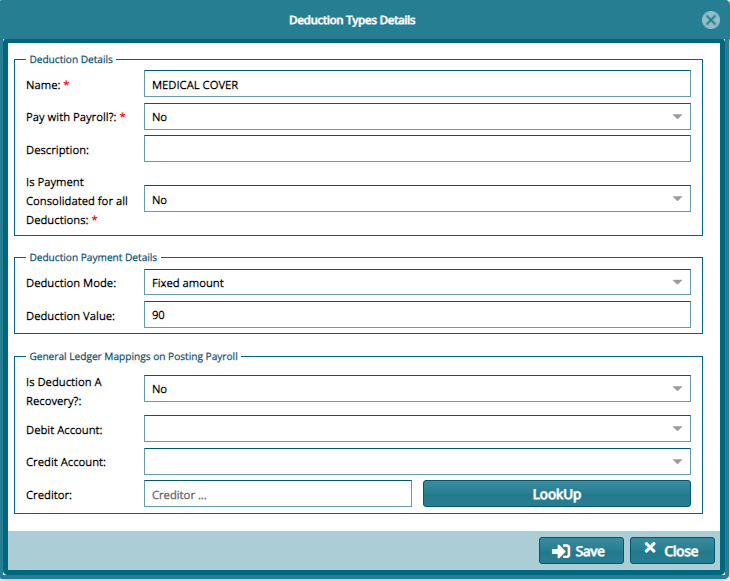
Clicking the New Deduction Type button will open a Deduction Types dialog box through which the details of a new deduction type can be added in the system as shown in the screenshot below: