
# Payroll Operations
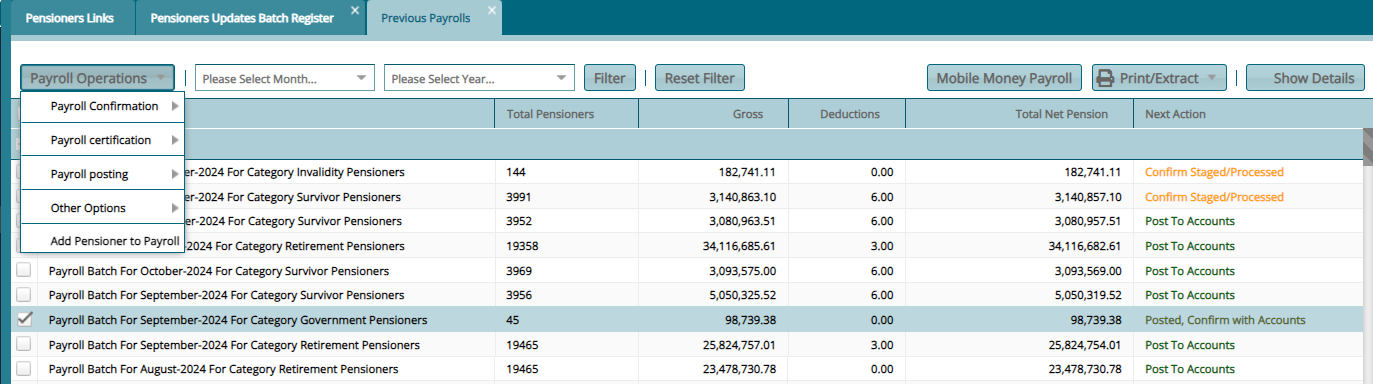
The Payroll Operations menu gives access to payroll related access links such as a link to access the pension arrears register. See screenshot below:

# Previous Payroll
To view all the payrolls that have already been ran for different months, click the Previous Payrolls link as to open the following window:
# Run Payroll
To run the payroll, click on Run Payroll link to pop up a payroll checklist window as shown in the screenshot below:
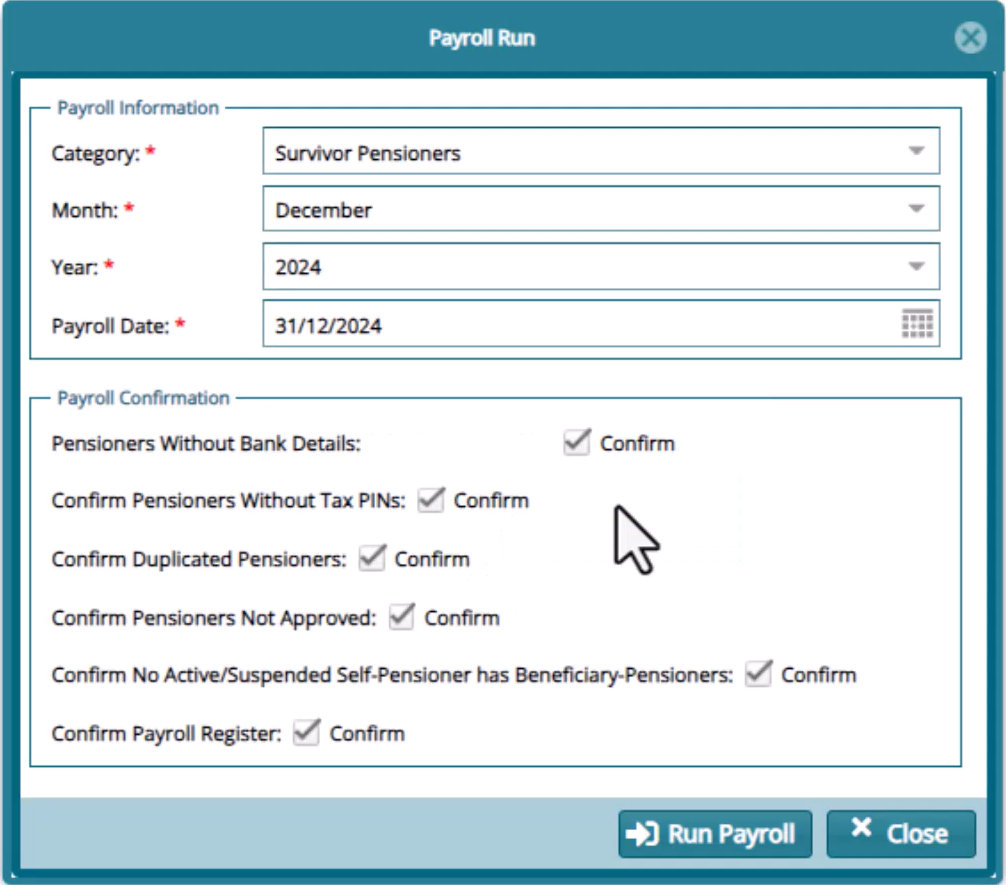
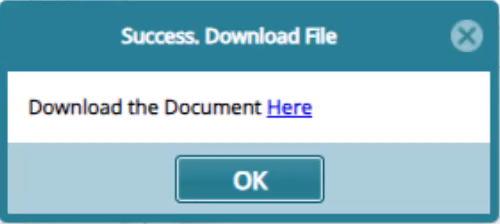
Clicking the Confirm Payroll Register checkbox will load a success message box with a link to download an excel file with the details of the payroll. Otherwise click OK to continue.
Click the Run Payroll button to open a confirmation dialog box and click the Yes button as shown below:
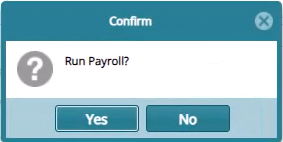
Clicking the Yes button will trigger the execution of the payroll. If the payroll rans successfully, the record will be displayed in the Previous Payroll window from which the payroll can be confirmed, certified and posted to accounts for payment. See screenshot below:

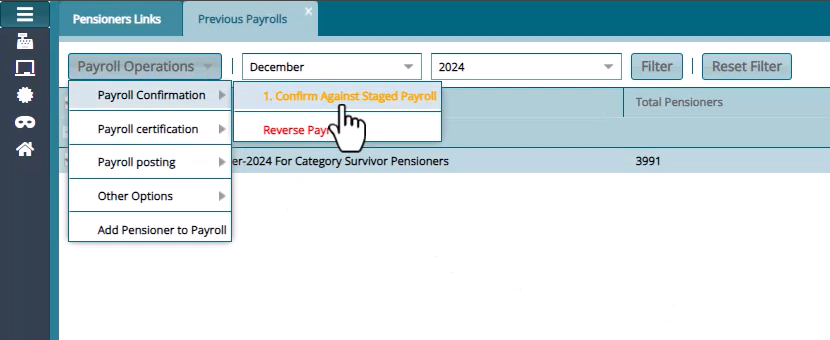
Confirm the payroll execution as shown in the screenshot below:
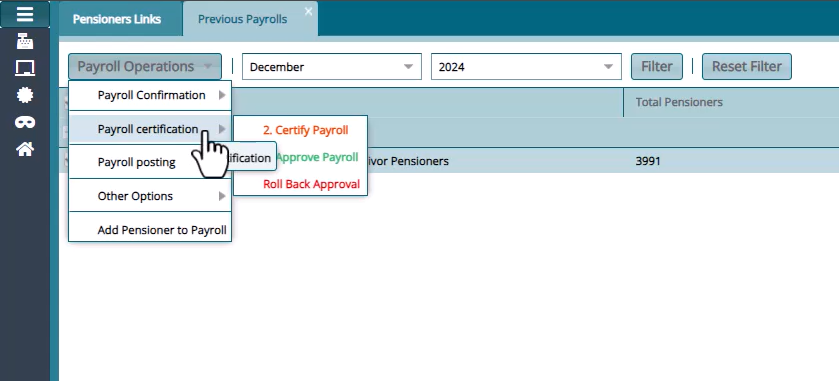
Certify and Approve the process as shown in the screenshot below:
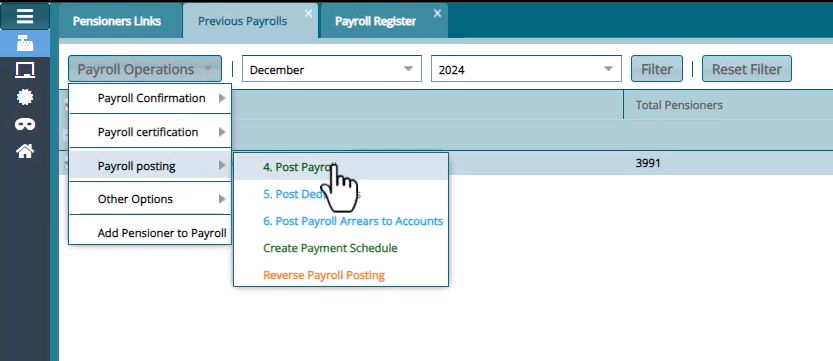
Post to accounts for payment as shown in the screenshot below:
# Pension Arrears Register
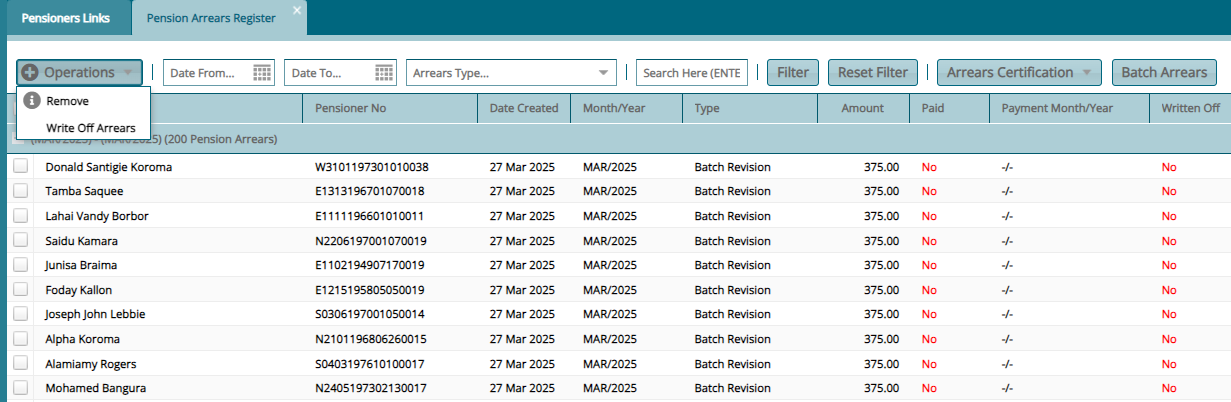
The Pension Arrears Register displays all types of pensioners arrears detail and allows selected arrears to be written off. See screenshot below:
# Add New Arrear
To add an arrear for a pensioner, navigate to the Payroll Register select the pensioner you need to process an arrear for. Locate and click the Add Pensioner Arrears button from the Operations menu as shown below:
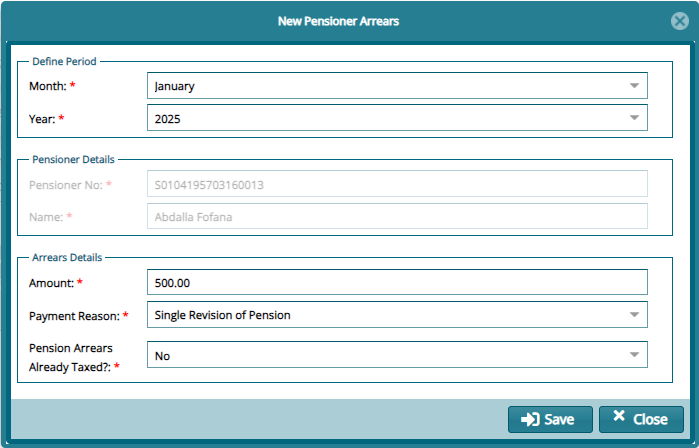
Clicking the Add Pensioner Arrears menu item as shown above will open a dialog window for capturing the details of the arrear. See screenshot below:
# Arrear Confirmation
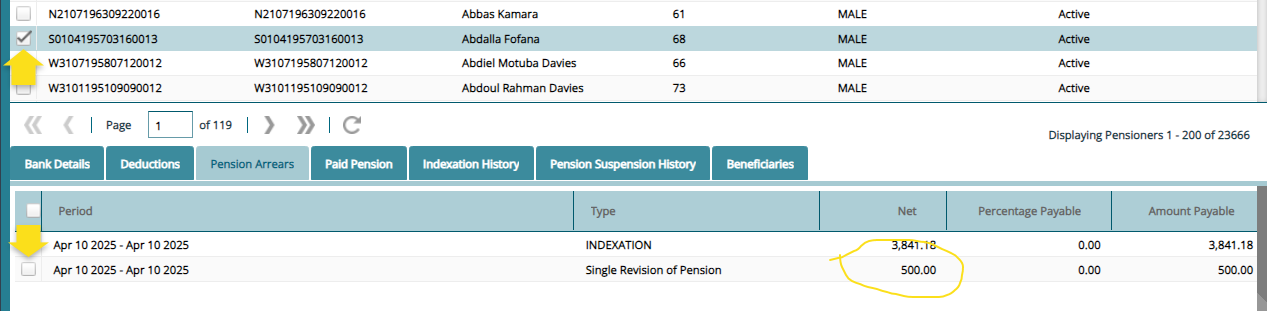
To see the Arrear record, navigate back to the Payroll Register window and select the pensioner whose arrear we just processes. Click the Show Details icon to expand the window. From the Pension Arrears tab, you can see the new arrear record has been added as shown in the screenshot below:
# Pension Arrears Payment Register
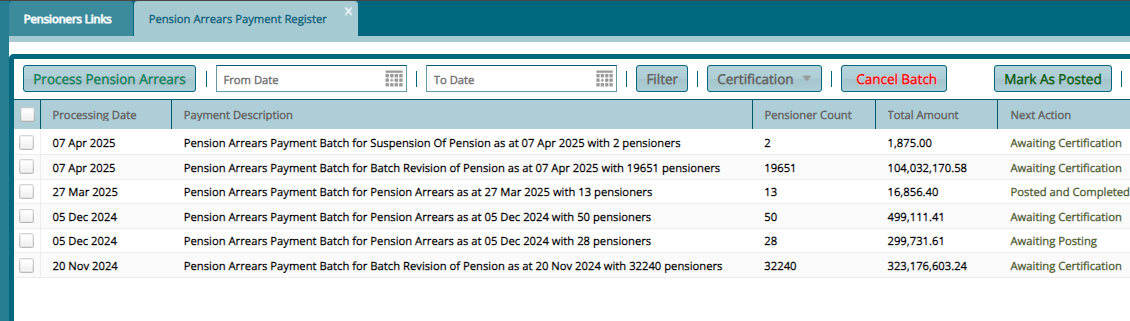
The Pension Arrears Payment Register displays the pensioners arrears processed for payment. See screenshot below: