
# Pension Register
# Payroll Register
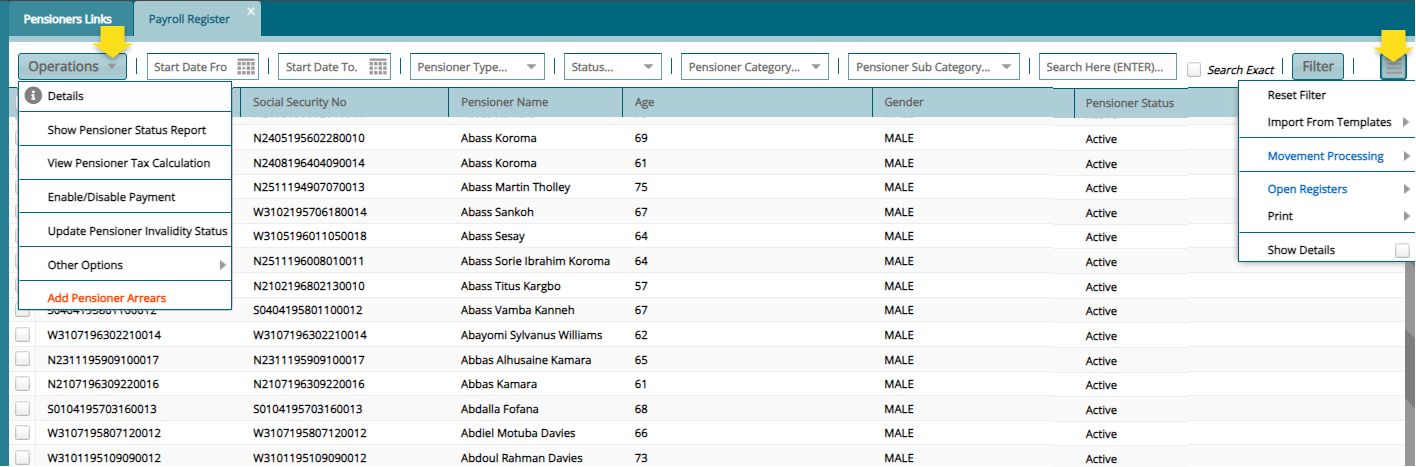
The Payroll Register displays all the pensioners under different categories. From this payroll window, several processes such as Movement Processing can be initiated, accessing the Open Registers and other operations such as adding pensioner arrears to a selected pensioner from the grid table. See screenshot below:
# Movement Processing
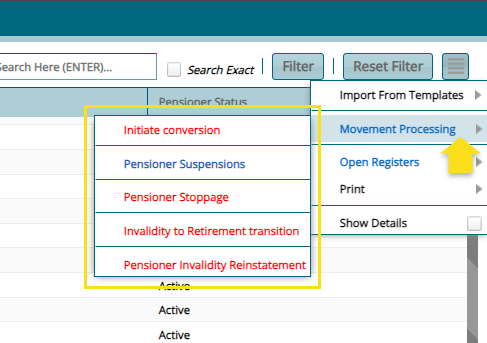
The Movement Processing menu gives access to some special group of processes that can be executed from the Payroll Register as shown in the screenshot below:
# Initiate Conversion
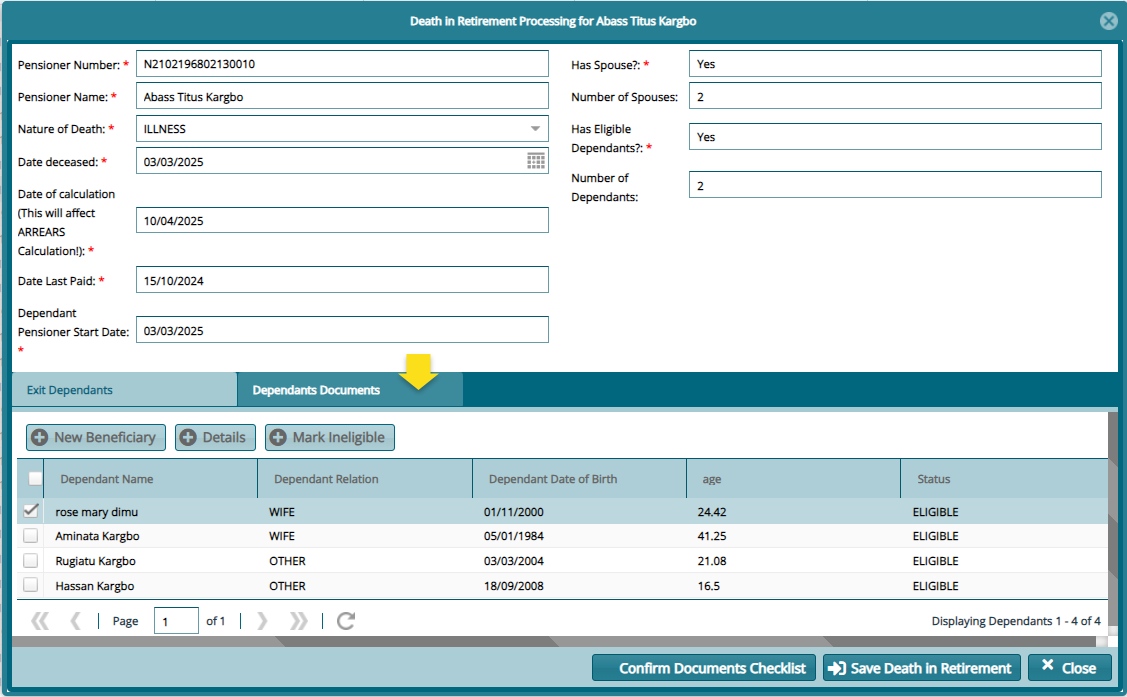
To initiate the movement for processing a death in retirement, select the name of the pensioner from the Payroll Register. From the Movements Processing window, click Initiate Conversion to open a dialog window where the details of the conversion are captured as shown below:
Actions
Make sure you select each dependant from the list and click the Dependants Documents tab to upload all mandatory documents. Otherwise, the process can't be carried out without the documents received onto the system.
Click Confirm Documents Checklist to receive the documents relating to the death of the pensioner and finally click Save Death in Retirement button to process the conversion.
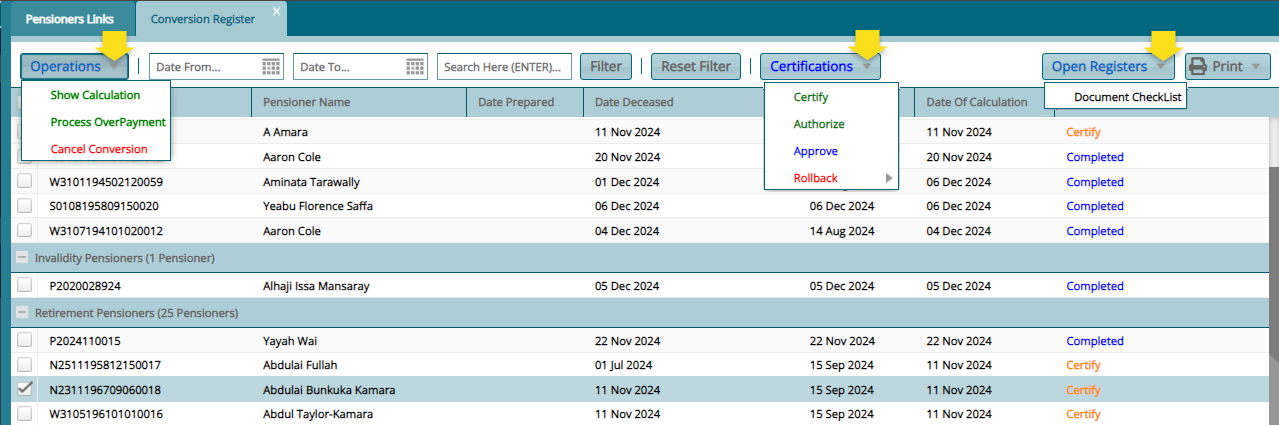
A successful conversion of the record upon clicking the save death in retirement, the name of the pensioner will disappear from the Payroll Register and appear in the Conversions Register. From this register the Certification of the conversion can be done and the Benefit Calculation for the deceased pensioner reviewed as shown below:

# Pensioner Suspensions
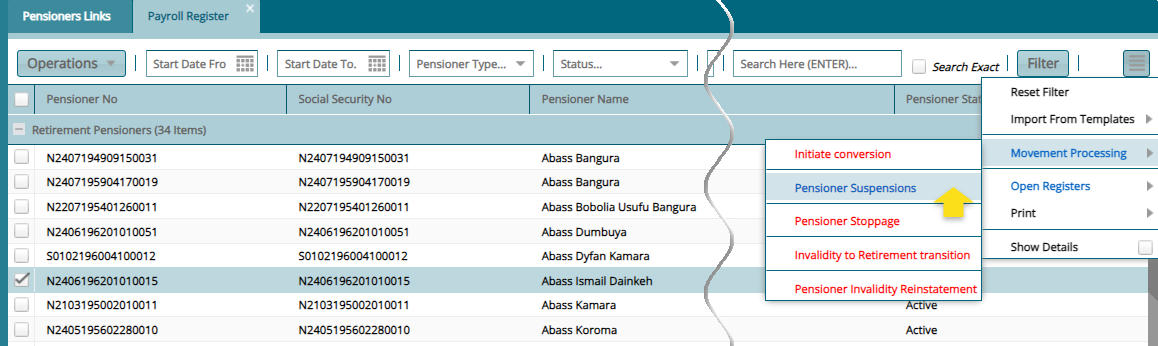
To suspend a pensioner, select his/her name from the Payroll Register and click Pension Suspensions from the Movements Processing menu as shown below:
Clicking Pension Suspensions will open a dialog box for capturing the suspensions details as shown below:
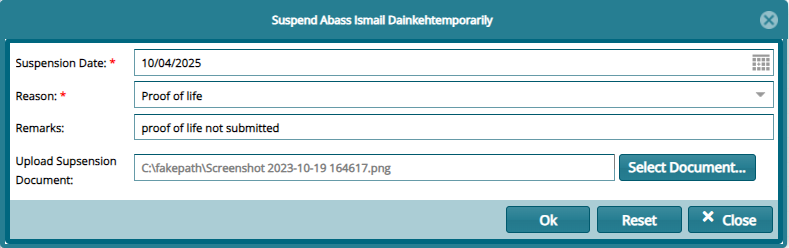
Clicking OK will send the record to the Pensioner Updates Approval window for certification as shown below:

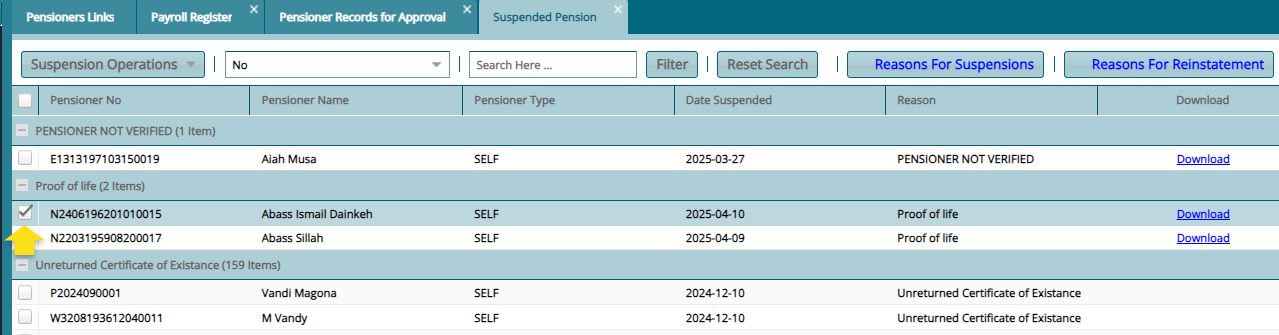
A successful Certification of the suspension process will send the pensioner to the Suspended Pensions register. See screenshot below:
# Pension Stoppage
To stop a pensioner, select his/her name from the Payroll Register and click Pension Stoppage from the Movements Processing menu as shown below:
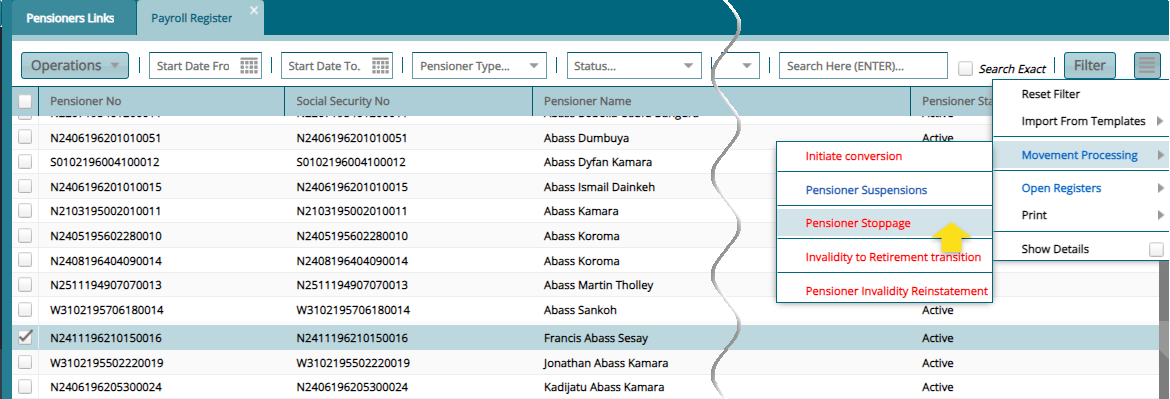
Clicking Pension Stoppage will open a dialog box for capturing the suspensions details as shown below:
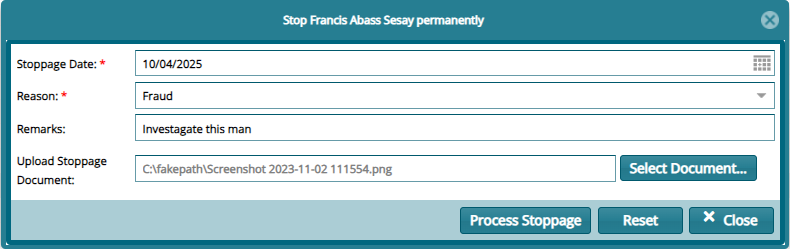
Clicking OK will send the record to the Pensioner Updates Approval window for certification as shown below:

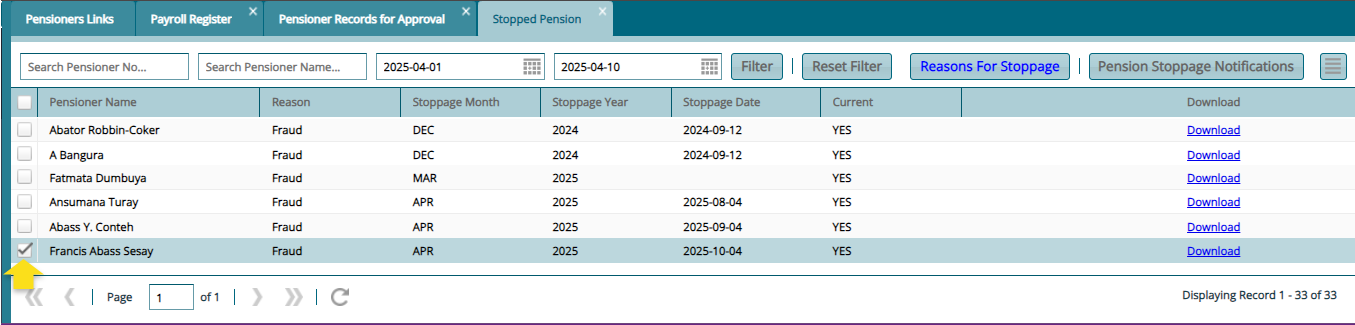
A successful certification of the suspension process will send the pensioner to the Suspended Pensions register. See screenshot below:
# Invalidity to Reinstatement Transition
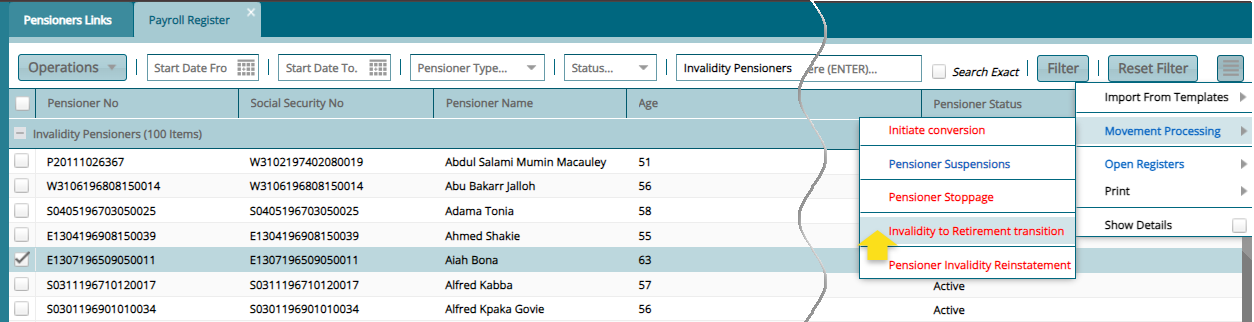
To transit a pensioner from invalidity status to stop a pensioner normal, select his/her name from the Payroll Register under the Invalidity Category and click Invalidity to Reinstatement Transition from the Movements Processing menu as shown below:
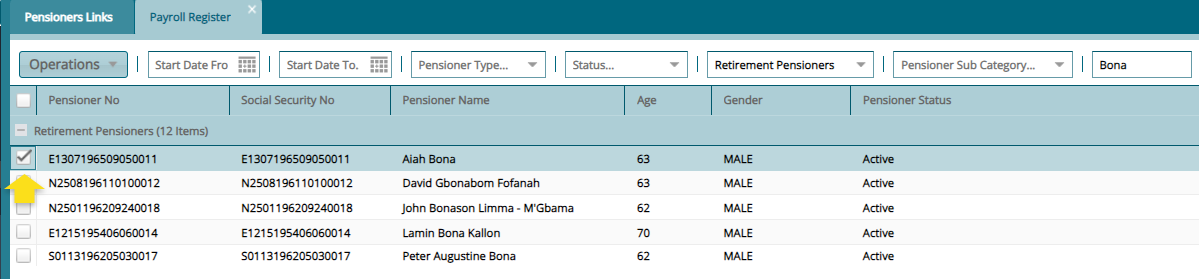
Clicking Invalidity to Reinstatement Transition will move the pensioner from invalidity category back to the original pensioner category. See screenshot below:
# Open Registers
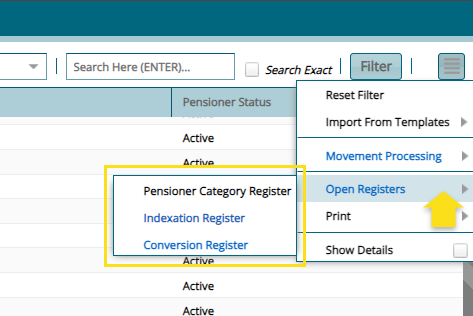
The Open Registers menu host registers such as the Indexation and Conversions registers from which key processes such as pension indexation are initiated. See screenshot below:
# Pension Category Register
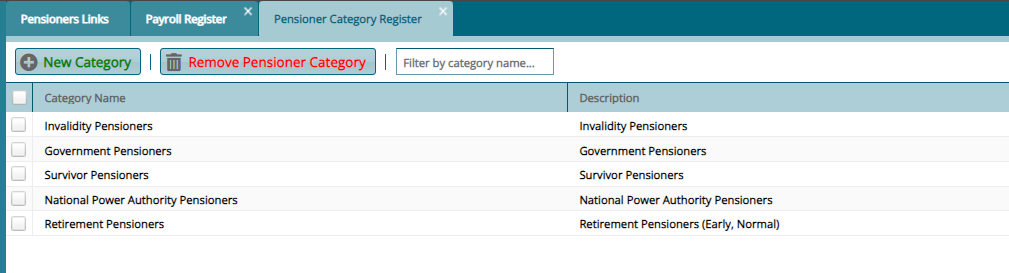
The Pensioner Category Register displays all the categories of pensioners. From this window a new category can be created and others removed as shown below:
# Indexation Register
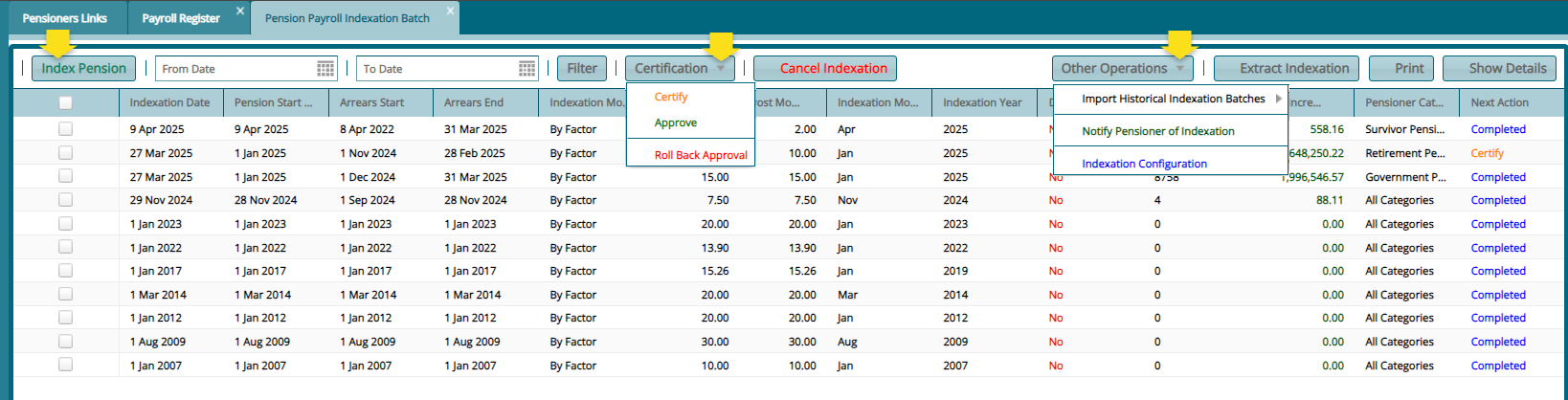
The Indexation Register displays for the pension payrolls that have previously been indexed. From this window a new indexation can be done and certified among other activities. See screenshot below:
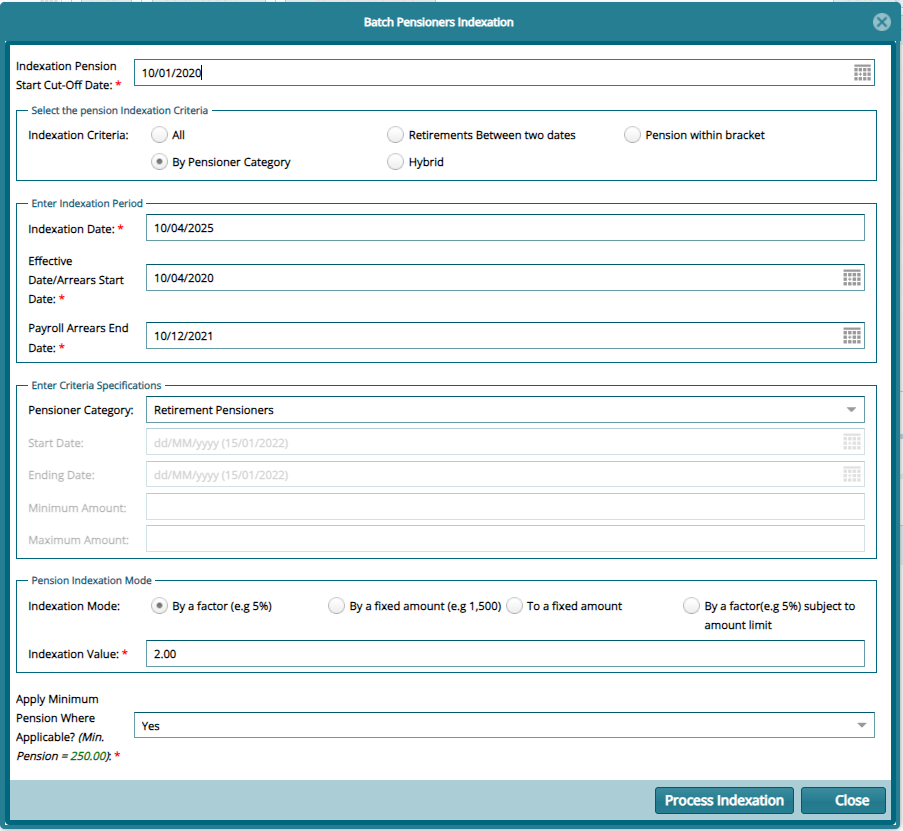
Clicking the Index Pension button will open a window where a new indexation can be parameterized and processed. See screenshot below:
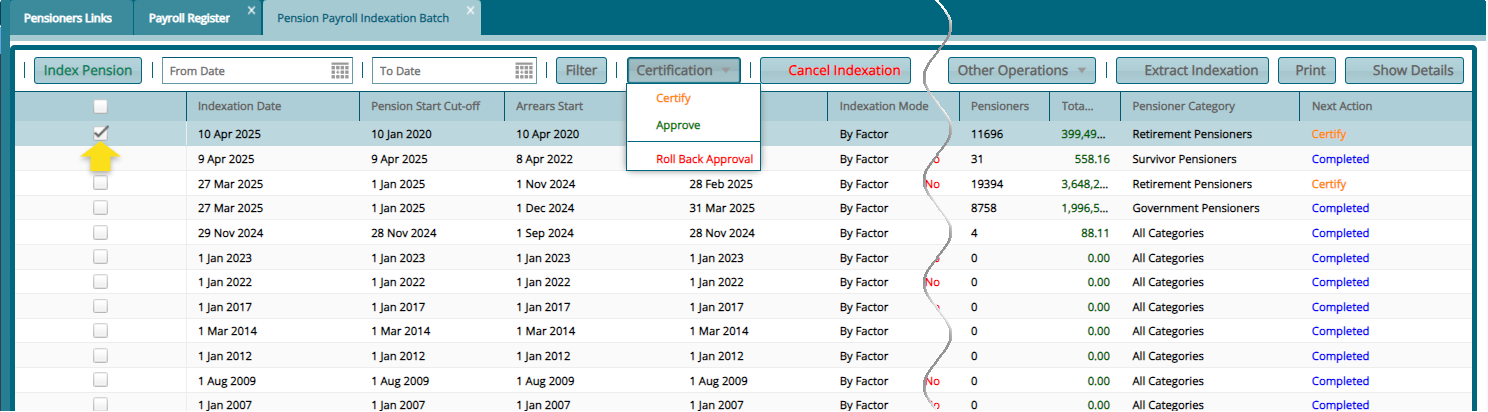
A successful indexation upon clicking the Process Indexation button will display the new indexation record in the indexation window for certification processing as shown below:
# Conversion Register
Clicking Conversion Register from the Open Register will open a register where all the initiated death in retirement claims are displayed a shown below:
# Death in Retirement Benefits Calculation
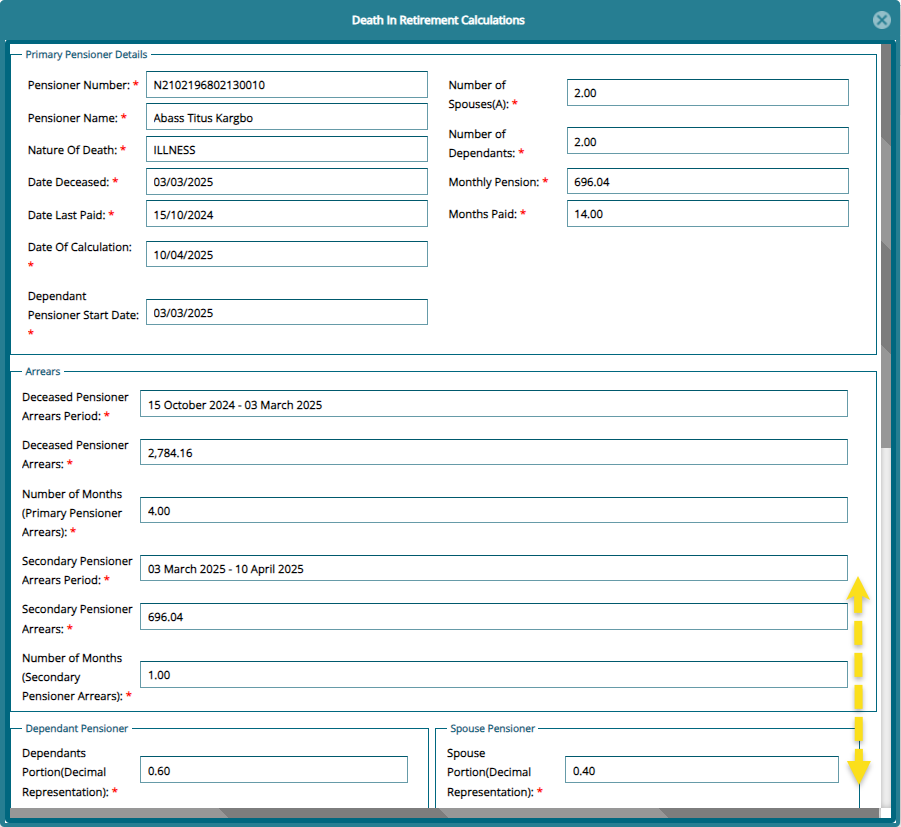
Clicking Show Calculation from the Operation dropdown menu will open a window where the pensioners death in retirement benefits calculation is tabulated as shown below:
# Death in Retirement Documents Check List
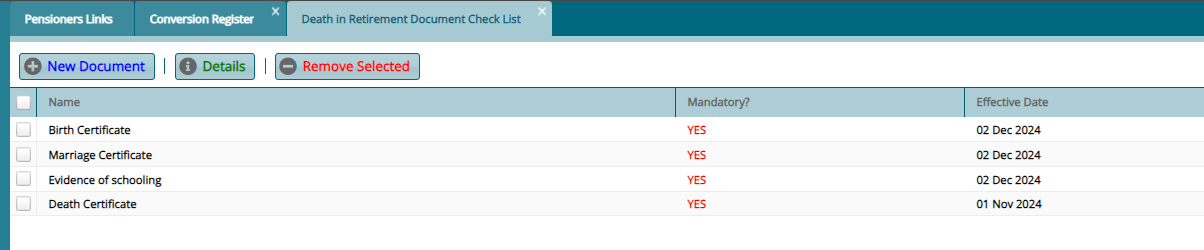
Clicking Document Checklist from the conversion register will open a window where all needed documents for processing a death claim are listed. From this window new documents can be added to the checklist as shown below:
# Pensioners Approval
The pensioners approval menu gives access to approval related register such as the new pensioner approval register. See screenshot below:

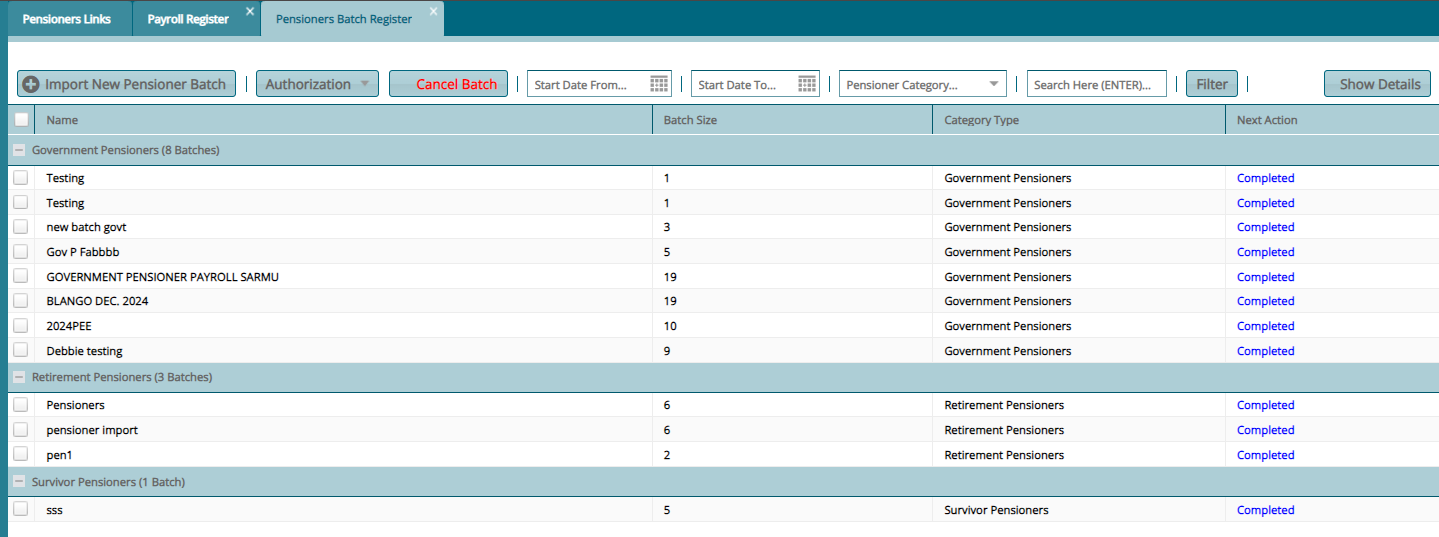
Clicking the New Pensioners Batch Approval Register will open a register where new pensioners uploaded in batch are displayed ready for Certification among other actions such as cancelling the batch approval request. See screenshot below:
# New Pensioners Approval Register
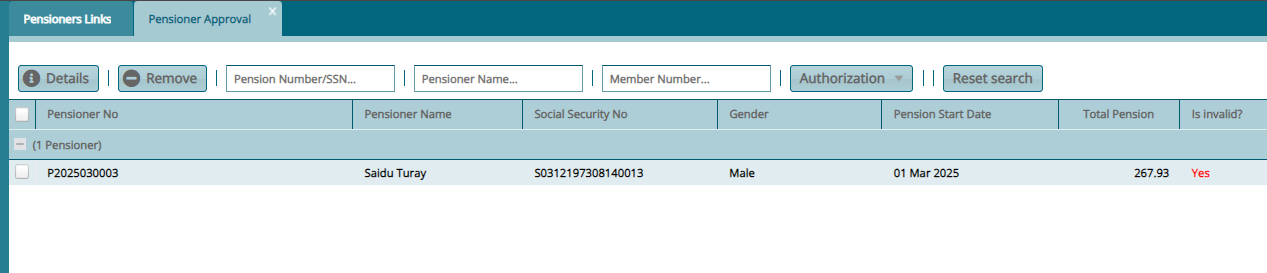
Clicking the New Pensioners Approval Register will open a register where new pensioners uploaded individually are displayed ready for Certification among other actions such as viewing the details of a record. See screenshot below:
# Pensioners Updates for Approval
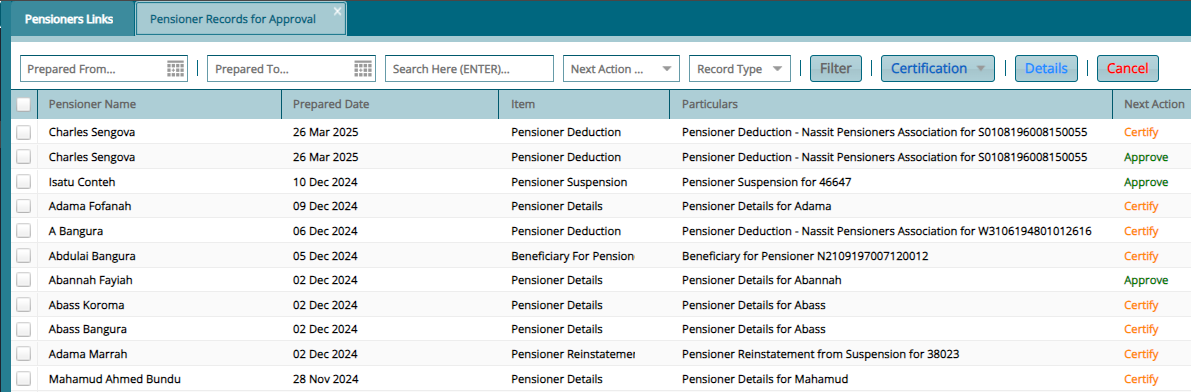
Clicking the Pensioners Update Approval will open a register where updated made to pensioners records are displayed ready for Certification. See screenshot below:
# Pensioners Updates Batch Register
Clicking the Pensioners Update Batch Register will open a register where updated made to pensioners records in batches are displayed ready for Certification. See screenshot below:
