# Introduction
This workflow module enables a work distribution system that automates all core processes such as claims, payroll processing, contribution, and member registration. By assigning tasks to different users, the module allows for step-by-step execution of tasks. This enables one to map workflow processes, assign profile timelines, assign tasks, analyze complete, overdue, and pending tasks, view task instances and assign them to individuals or user profiles among other operations.
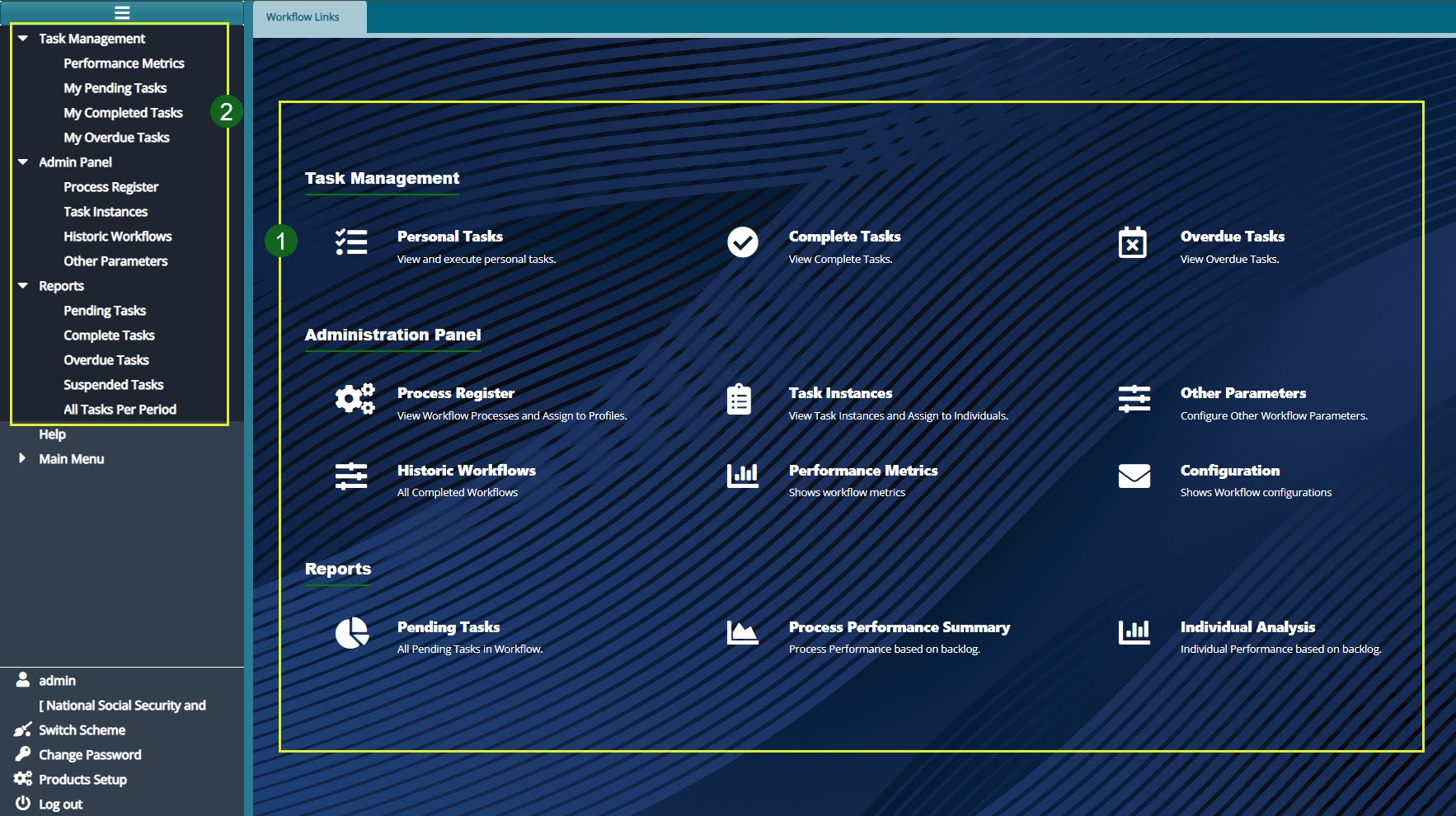
To access the workflow module dashboard, click the Workflow module link on the landing page to open the Workflow landing page as shown below:
Action
Click the hot links under the section labelled 1 to access shortcut routes to commonly visited links in the Workflow module.
Click the menu item links on the left side pane in the section labelled 2 to access all links for Workflow configurations.
Tips
All the links under label 1 can still be accessed on the left side pane although some are tacked under sub menus.
Before using the workflow module, make sure to activate it from the scheme setup module. Navigate to the left side panel of the scheme setup module as shown below:
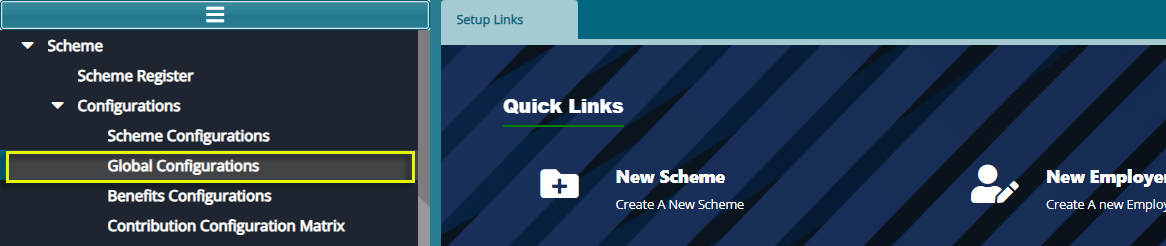
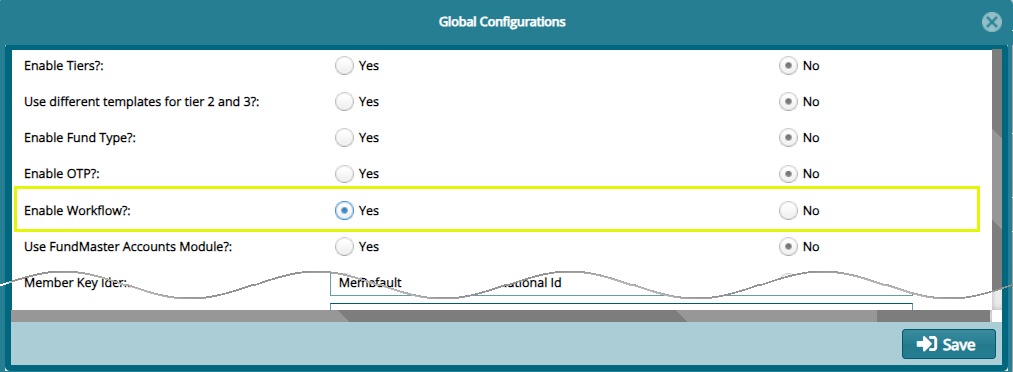
Click the Global Configurations link to open the Global Configuration checklist window. Make sure to check the Yes button to Activate the workflow engine. See screenshot below: