
# Actuarial Factors
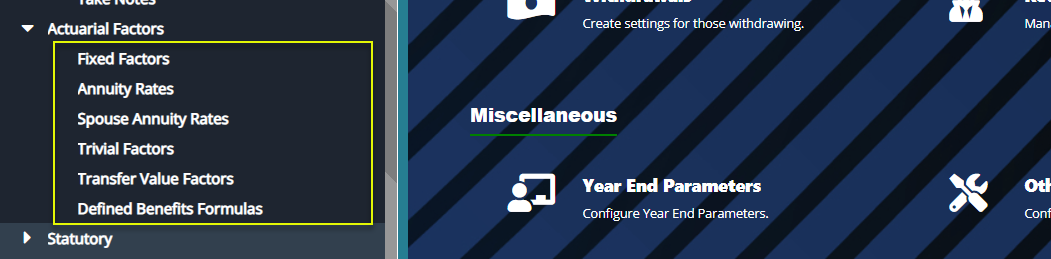
The 'Actuarial Factors' set of configurations aids in setting up Actuarial Factors that are used in DB and DC lump sum calculations. Click on the links under the drop-down menu to set different actuarial rates and factors as shown below:
# Fixed Factors
The 'Fixed Factors' are provided by the scheme actuaries and aid in the calculation of member benefits based on the retirement age and the gender type.
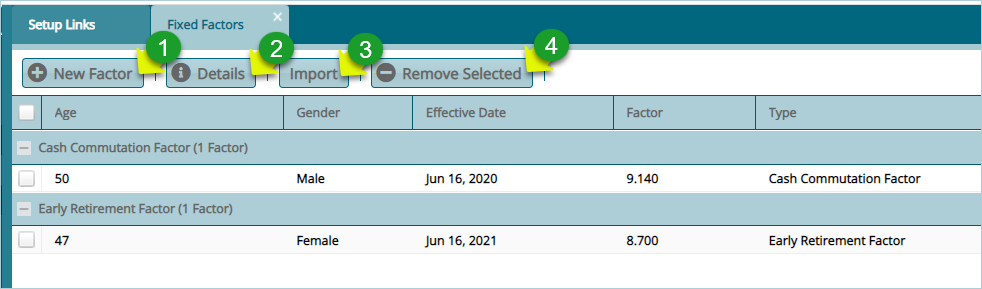
Click the 'Fixed Factors' link to open the fixed factors window to view a list of set factors and to create new factors as shown below:
Action
Click label 1 button to create a new fixed factor.
Click label 2 button to view the details of a selected factor from the list.
Click label 3 button to upload already prepared factors in a template.
Click label 4 button to remove a selected factor from the list.
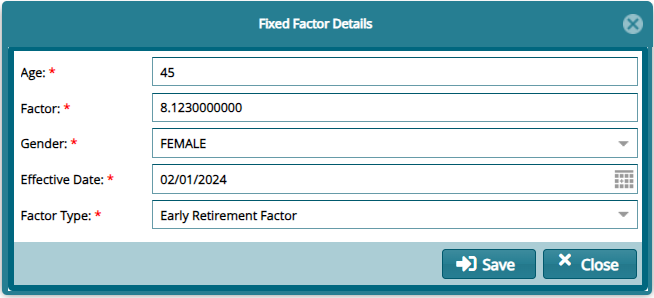
Click the 'New Factor' button to open a dialog box to add a new fixe factor as shown below:
# Annuity Rates
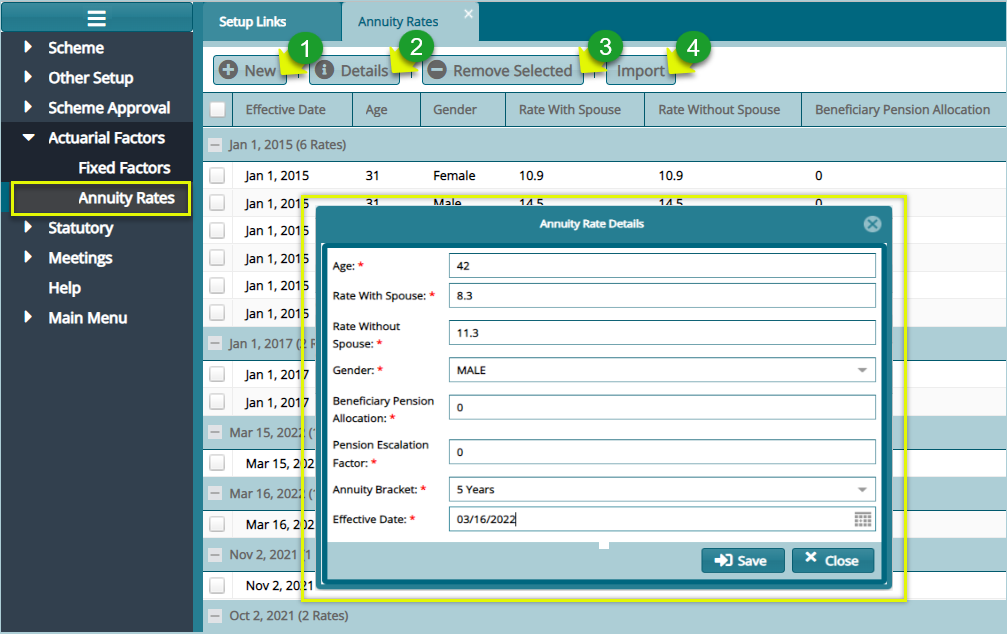
Annuity rates are provided by third-party insurance companies with the help of internal or external actuaries to aid in the calculation of annuities' purchase prices. Click the 'Annuity Rates' link to open the Annuity Rates dialog box to set a new rate as shown below:
Action
Click label 1 button to create a new annuity rate.
Click label 2 button to view the details of a selected annuity rate from the list.
Click label 3 button to remove a selected factor from the list.
Click label 4 button to upload already prepared annuity rates in a template.
# Spouse Annuity Rates
# Trivial Factors
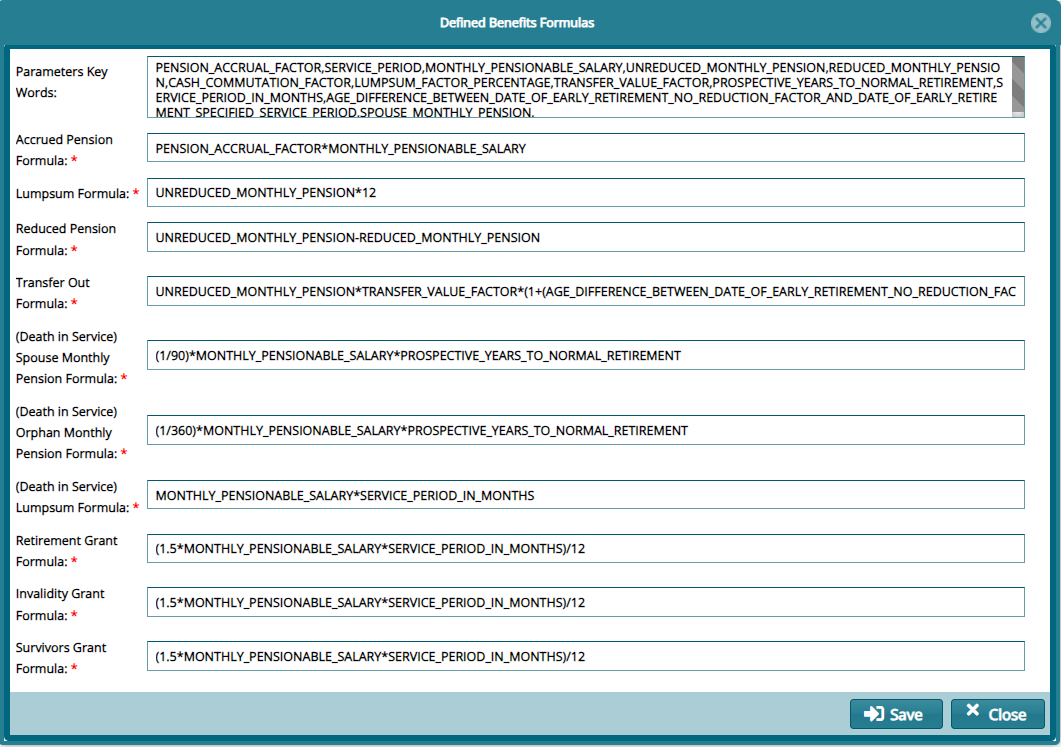
# Defined Benefits Formulas
This dialog form enables the setting of key formulas in defined benefits schemes:
← Other Setup Statutory →