# Statutory
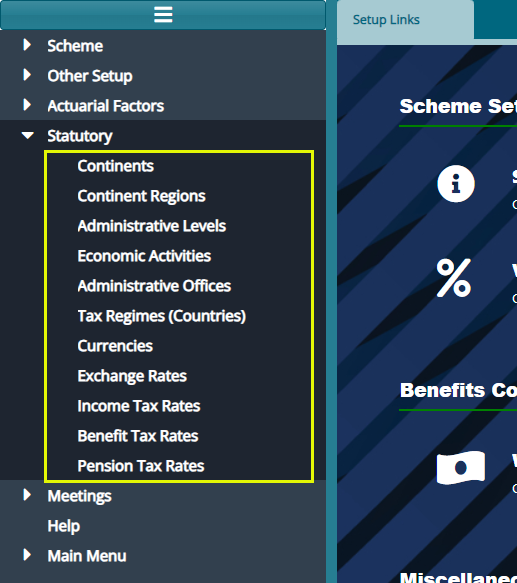
The 'Statutory' configurations are tax rates that affect the retirement benefits processes as defined by a regime's commissioner of tax. The screenshot below shows a drop-down menu with links through which different setups are done:
# Continents
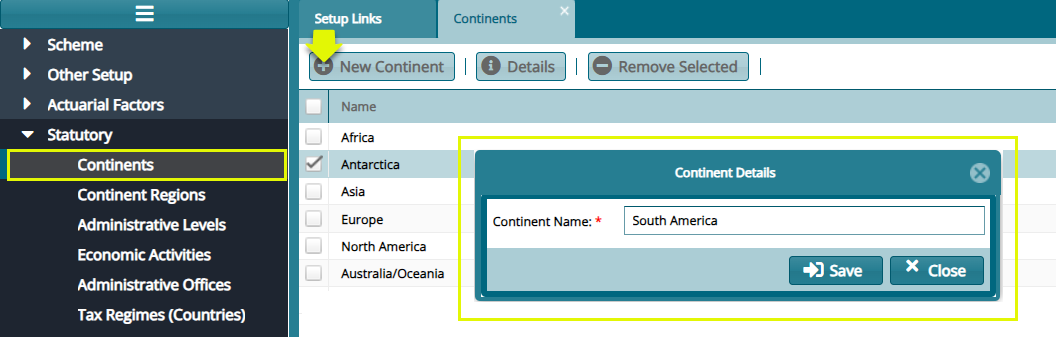
Click the 'Continents' link to open the continents window, then click the 'New Continent' button to add a continent as shown below:
# Continent Regions
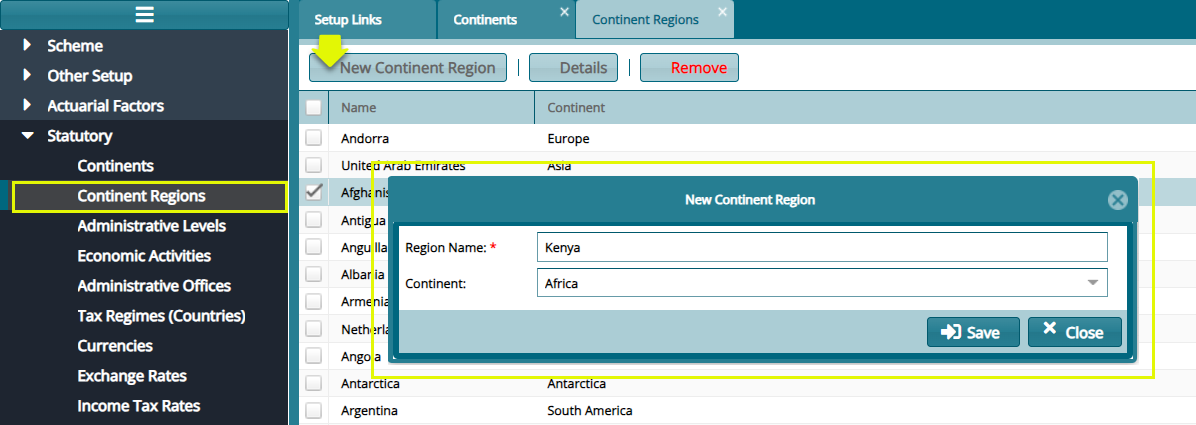
Click the 'Continent Regions' link to open the continents regions window, then click the 'New Continent Region' button to add a region as shown below:
# Administrative Levels
Click the 'Administrative Levels' link to open the administrative levels window to view different administrative level records as shown below:
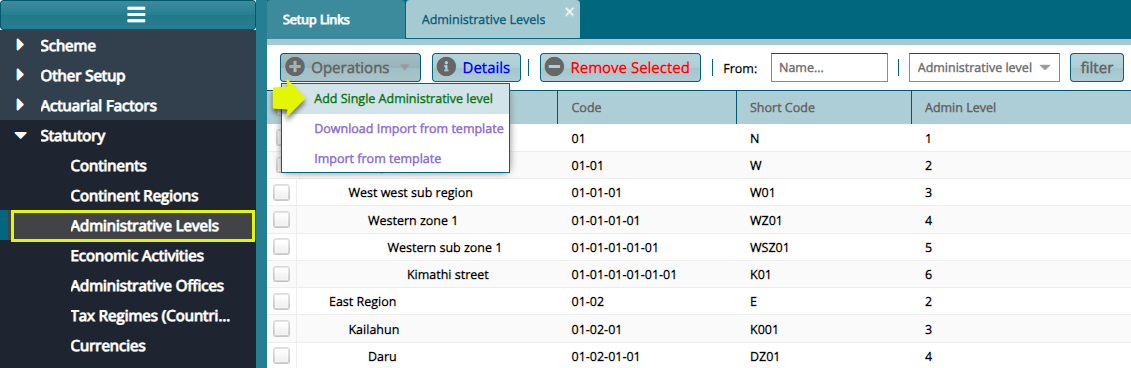
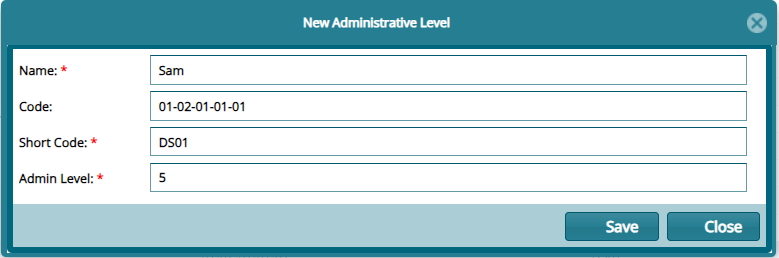
Click the 'Add Single Administrative Level' button to add an administrative level shown below:
# Economic Activities
Click the 'Economic Activities' link to open the economic activities window to view different economic activities as captured in the system. see screenshot below:
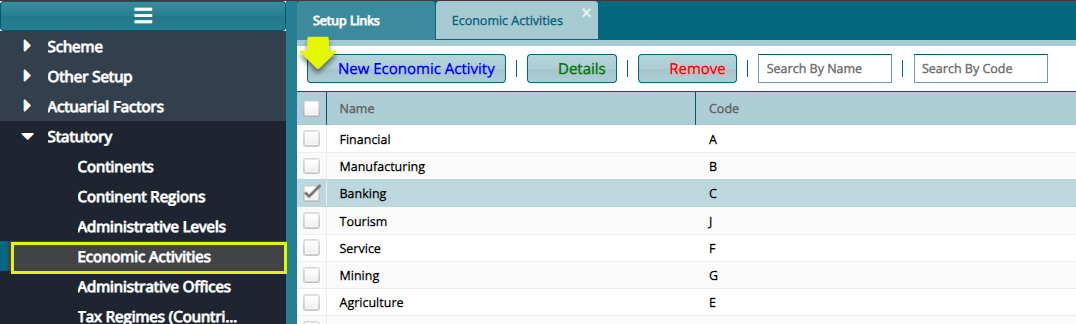
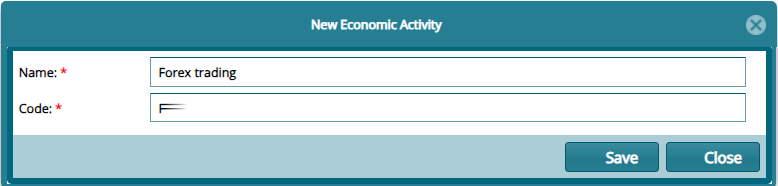
Click 'New Economic Activity' button to open a dialog box and capture a new economic activity as shown below:
# Administrative Offices
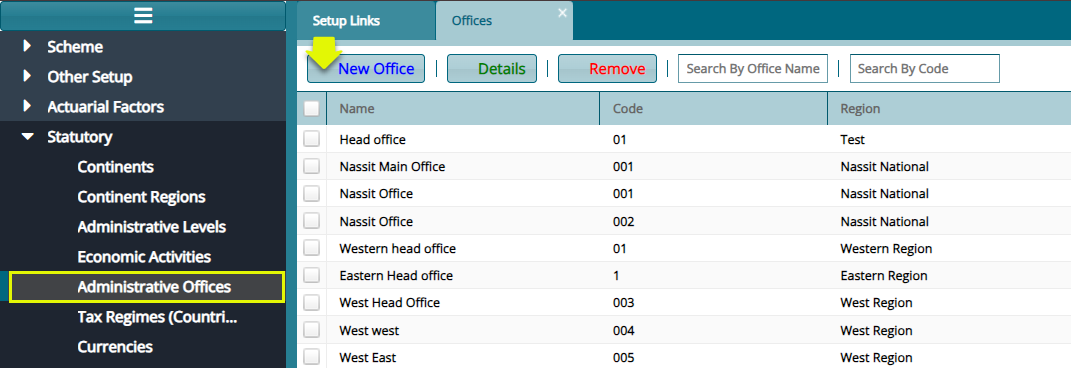
Click the 'Administrative Offices' link to open the offices window to view different office records as shown below:
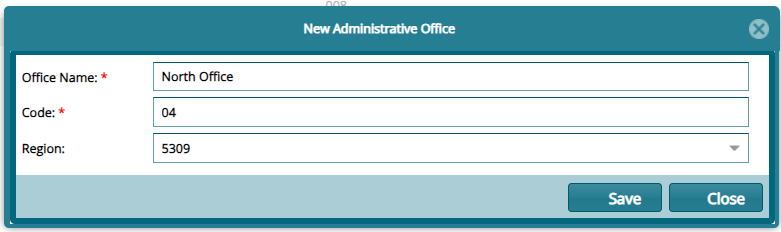
Click 'New Office' button to open a dialog box and capture the details of a new office as shown below:
# Tax Regimes
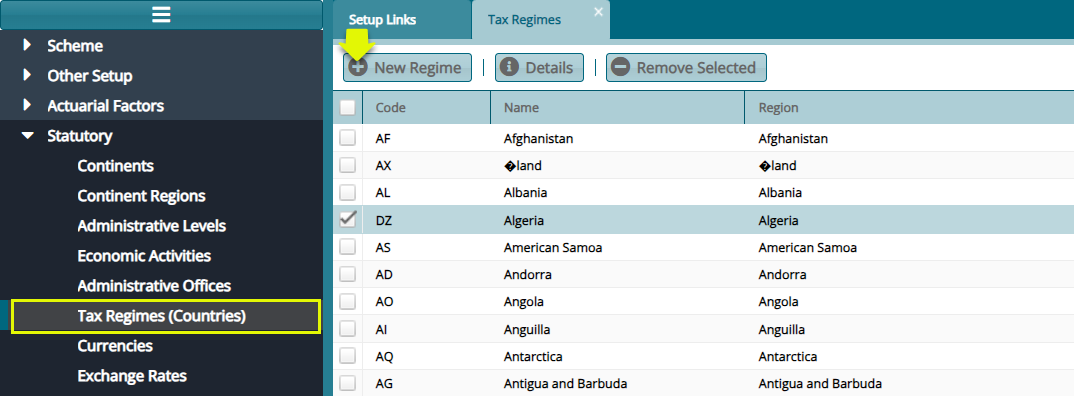
Click the 'Tax Regimes (Counties)' link to open the tax regimes window, then click the 'New Regime' button to add a new regime as shown below:
# Currencies
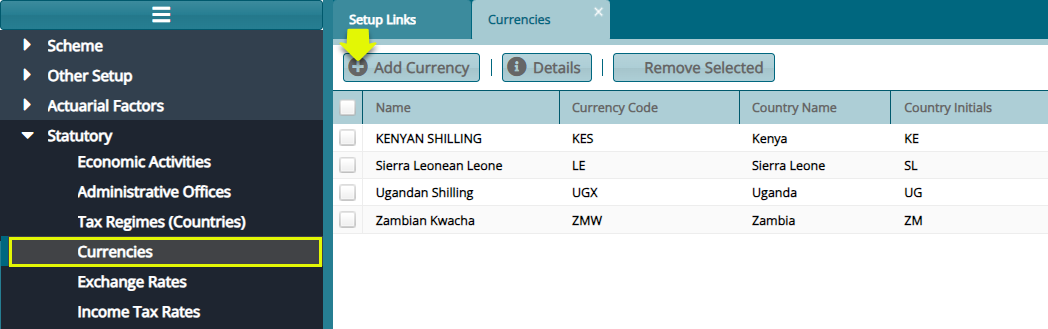
Click the 'Currencies' link to open the currencies window, then click the 'Add Currency' button to add a new currency as shown below:
# Exchange Rates
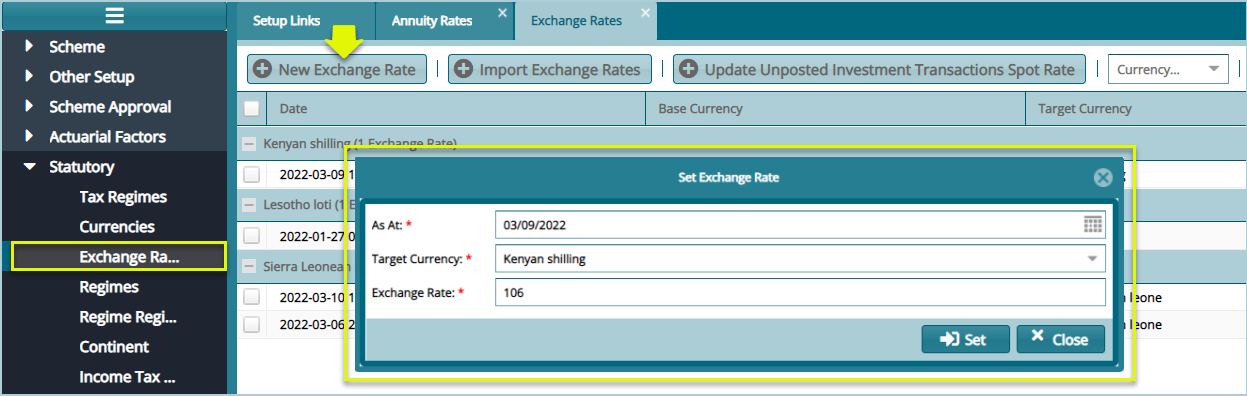
Click the 'Exchange Rates' link to open the Exchange Rates window, then click the 'New Exchange Rate' button to add a new exchange rate configuration as shown below:
# Income Tax Rate
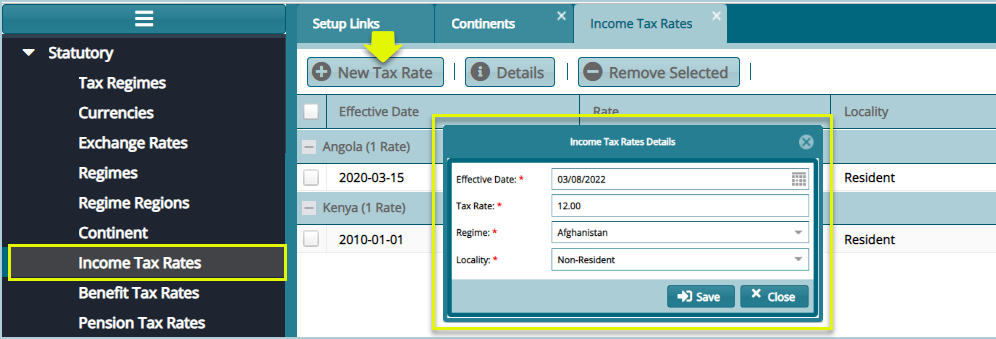
Click the 'Income Tax Rates' link to open the Income Tax Rates window, then click the 'New Tax Rate' button to define a new tax rate as shown below:
# Benefits Tax Rates
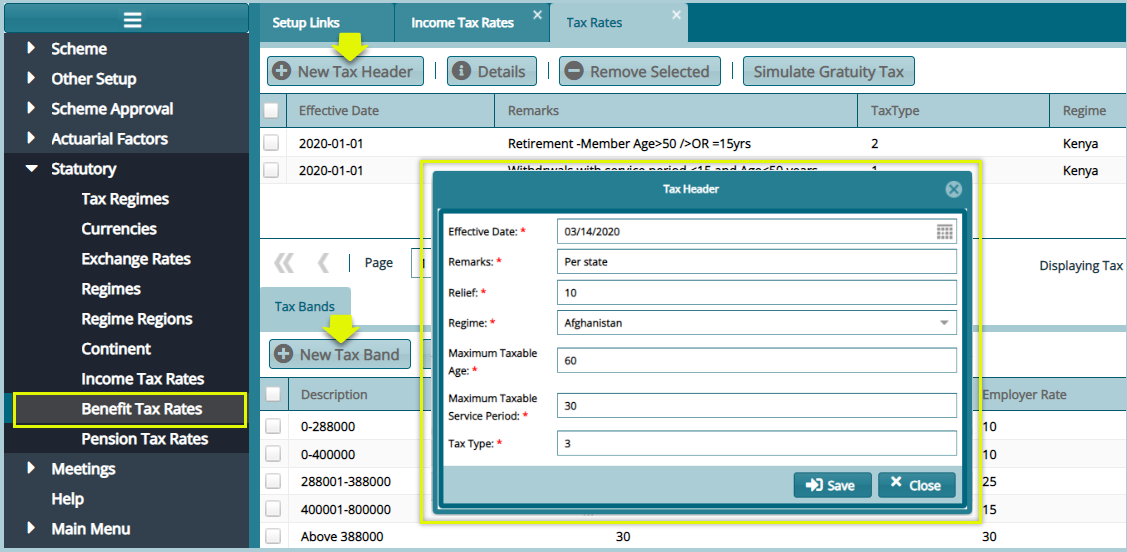
Click the 'Benefits Tax Rates' link to open the tax rates window, then click the 'New Tax Header' button and the 'New Tax Band' button to configure the tax header and band respectively as shown in the following screenshot:
Tip
The tax header's conditions and the tax headers are dictated by the commissioner of taxes in each regime.
# Pension Tax Rates
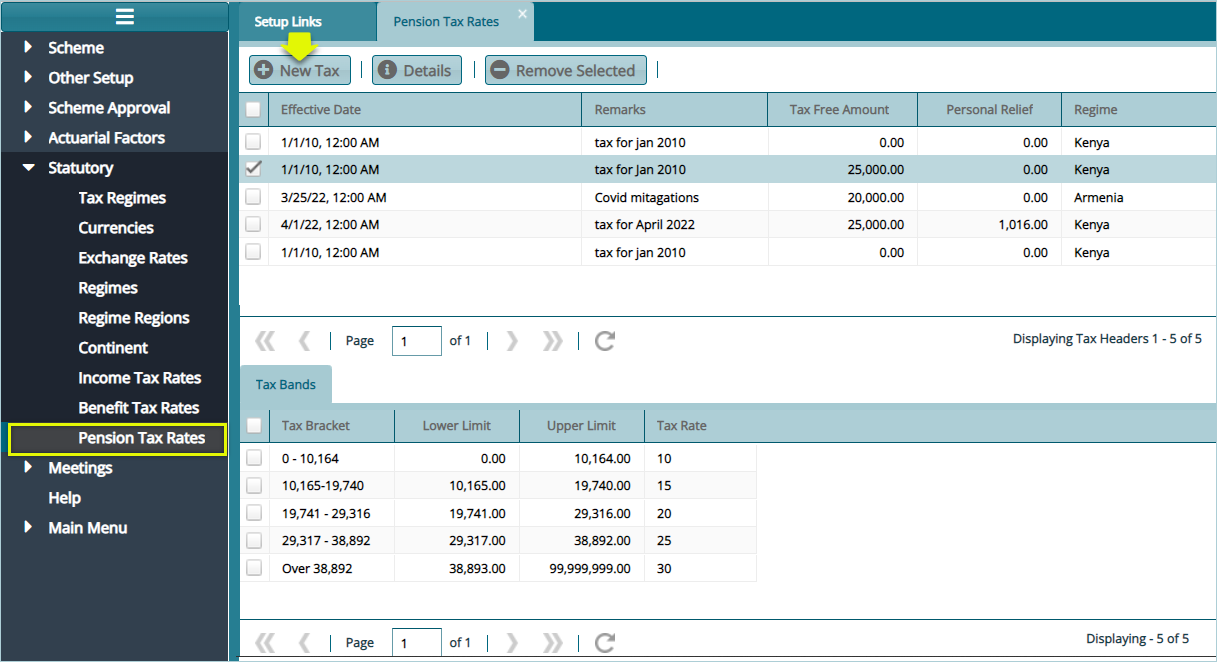
The 'Pension Tax Rates' set of configurations defines the pension tax free amount and personal relief amount. Selecting a new tax band to open a dialog box at the lower side of the window to aid in adding the pension tax bands as shown below: